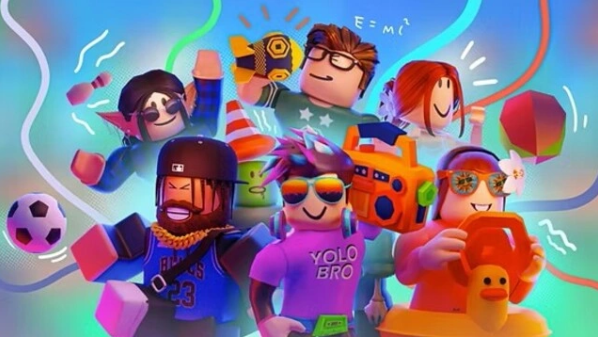
Roblox has always been a game about freedom. You jump into a world, build what you want, join friends, or try something totally new. It works great on phones, but after a while, the small screen and touch controls can feel limiting. That’s why many players choose to play Roblox on PC instead.
If you’ve only played on mobile, switching to a computer can feel like a big upgrade. The screen is larger. The controls are clearer. The game feels smoother. Let’s look at why more players prefer Roblox PC and how you can get started.
Why Play Roblox on PC?
The first thing you notice is the screen size. On a phone, details can be hard to see, especially in busy games. On a PC, everything looks bigger and sharper. You can spot enemies faster. You can build with more precision. You don’t need to squint at tiny icons.
Heat is another issue. Phones often get hot after long sessions. Performance can drop when that happens. On a PC, this is rarely a problem. You can play for hours without worrying about overheating in your hands.
Controls also make a big difference. Touch screens are simple, but they are not always accurate. A keyboard and mouse give you better control. Moving, jumping, aiming, and building all feel more natural. If you enjoy competitive modes, this matters even more.
Many players say once they try Roblox PC, they don’t want to go back to mobile.
How to Play Roblox on PC?
There are two main ways to play Roblox on pc.
The first is the official PC version from the Roblox website. You download it, log in, and start playing. It’s simple and works well for most users.
The second way is to use an Android emulator. An emulator lets your PC run mobile apps. This can be useful if you prefer the mobile version of Roblox or want to test different setups. Some emulators also allow custom key mapping and performance settings.
Both methods give you a similar core experience. You still access the same games, the same account, and the same friends.
Benefits of Playing on a Computer
Here are some clear advantages when you play Roblox on PC:
Better performance
Most PCs have stronger hardware than phones. This means smoother gameplay and more stable frame rates.
Larger display
A big monitor makes open worlds feel more immersive. It’s easier to explore and build without missing details.
Keyboard and mouse support
Precise movement and fast camera control improve your overall experience.
Multitasking
On a PC, you can chat on Discord, watch tutorials, or stream your gameplay while playing. It’s harder to do that on a phone.
These small improvements add up. The game simply feels more comfortable.
How to Get Started
If you want to experience the mobile version of Roblox on your computer, you can use an Android emulator like MuMuPlayer. This allows your PC to run the same version you would play on a phone, but with better control and a larger screen.
Here’s how to set it up:
- Download MuMuPlayer
Visit the official website and download the installer. - Install and Launch
Run the file and complete the setup. Open MuMuPlayer once it’s installed. - Sign in to Google Play
Log in with your Google account inside the emulator. - Install Roblox
Search for Roblox in the Play Store and install it. Then log in and start playing.
You can also adjust performance settings and set up keyboard controls to make Roblox PC feel smoother and more comfortable.
Final Thoughts
Roblox is about creativity and connection. Playing on a computer helps remove some of the limits that come with mobile devices. Bigger screen. Better controls. More stable performance.
Whether you choose the official client or an emulator, Roblox PC gives you a smoother and more flexible way to enjoy the game. If you’ve been playing on your phone for years, trying it on a PC might surprise you.