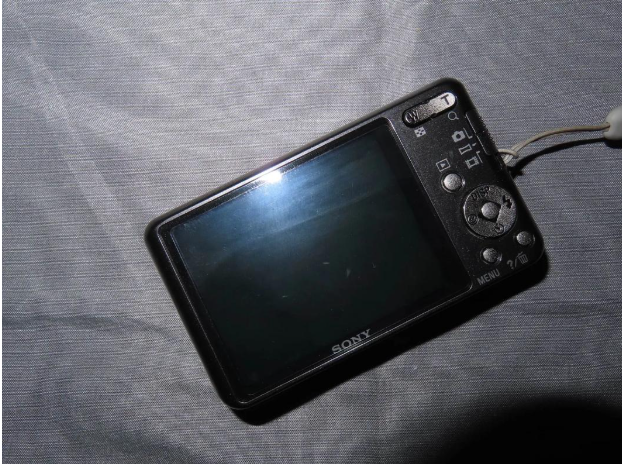
1. What Is CCD Texture
It refers to the unique visual aesthetic captured by vintage retro digital cameras: soft low-resolution blurriness, warm yellow color cast, subtle grain and sensor noise, bright cool-toned skin with retro film tones, vignetting, soft overexposure, and muted gentle hues, creating a strong nostalgic vibe of the 90s and 2000s.
Core Features
- Soft, non-crisp image with natural film grain and sensor noise
- Bright and clear cool-toned skin with warm yellow color tones overall
- Slight overexposure and washed-out brightness under sufficient light
- Low saturation and muted retro film color grading
- Natural vignetting and softly blurred edge details
2. Shoot CCD-Style Photos with Mobile Phones (No Equipment Needed)
2.1 Shooting Settings
- Slightly increase the brightness by 1 to 2 levels; mild overexposure delivers the most authentic CCD effect
- Turn off high-definition mode and shoot in 720P/low resolution
- Take photos at a close distance instead of shooting from far away
- Best lighting: soft natural window light, overcast days, and evening ambient light; avoid harsh midday direct sunlight
2.2 Suitable Scenarios & Poses for Perfect Shots
Scenarios: classrooms, streets, night markets, old stairwells, convenience stores, street lamp backgrounds, indoor bedside scenes Poses: head tilting, mouth covering, side profile shots, head lowering, blocking light with hands
2.3 Universal Filter Parameters (Xingtu App)
All-Purpose Retro CCD Tuning Preset
- Filter: EK100 (Intensity: 50~60)
- Brightness: +15
- Contrast: -10
- Saturation: -8
- Color Temperature: +12 (warm retro yellow tone)
- Tint: +5
- Grain: +18
- Sharpness: -10 (for soft blurry texture)
- Vignette: +20
2.4 Practical Shooting Tips
- Shoot with the flash on for the most authentic CCD texture
- Wipe the lens slightly blurry or cover it with a thin tissue to create instant low-resolution vintage effects
- Horizontal shots and overhead shots perfectly highlight the vintage vibe
- Matching outfits: light-colored clothes, denim, floral styles and college-style wear work best
3. One-Click Quick Solution
Search for retro CCD camera apps to get native CCD filters and produce vintage photos with one click.
4. Convert Photos to CCD Style via Online Tools (No Software Installation)
You can use the online CCD filter tool like CCD Style Filter . All image processing runs locally in your browser without uploading your original photos, ensuring full privacy safety. No client installation is required, and photos can be converted to retro CCD style in seconds.
4.1 Built-in Preset Styles
The tool offers four classic built-in presets applicable to different scenarios:
- Classic CCD: A versatile universal style that fits most photos
- Warm Yellow: Features a warm yellow tone, highlighting retro warm skin texture
- Cool White: Creates a cool white skin effect, simulating the authentic flash shooting style of vintage CCD cameras
- Vintage Film: Adopts low-saturation and vintage toning for an aged film texture
4.2 Custom Adjustable Parameters (Default Classic Settings)
- Warm Tone: 55%
- Faded Color: 40%
- Soft Glow: 35%
- Grain: 35%
- Low-Res Blur: 30%
- Vignette: 40%
4.3 Step-by-Step Operation Guide
- Open the website and upload local photos via dragging and dropping or file selection
- Select a preset style and manually adjust the six texture parameters as needed
- Optional: Turn on the retro date stamp to add a classic 2000s camera atmosphere
- Click Apply CCD Style to render the effect, then download the finished photo in JPG format
4.4 Pro Tips for Better Results
- Photos with sufficient light and portrait flash shots work best, matching the soft overexposure feature of traditional CCD cameras
- Increase grain and blur values for a stronger low-quality vintage camera effect
- Reduce the warm tone percentage to get a natural cool white skin tone